Learn
Free guides. Real workflows. Steal one tonight.
AI + Tech, in Plain Language
I make AI make sense, and help you make it work for real life.

Titles expire. Brands don’t.
Helping experienced professionals become visible outside their company.
Free guides. Real workflows. Steal one tonight.
On the Record. Your dilemma, answered out loud.
Put me in the room. I teach the real version.
Three steps, in order. That’s the whole path.
Six quick checks for privacy, accuracy, and your signature voice, so you can use AI without handing it your life or your credibility.
Seven everyday AI wins with copy and paste prompts, a four part prompt formula, and a simple 7 day plan to build the habit.
The Meeting Close Kit turns messy notes into owners, decisions, and a recap people actually read. Your Mondays will feel it first.

Meet Gianna G.
Corporate leader by day, creator and AI translator by calling. I document what works so experienced professionals build a name that travels with them.
My AI Shift
Everybody has an AI story now. Mine started with bots, a web design business, and a decision to build for myself.
Making bots. Years before ChatGPT was a household name, I was already building bots to handle the busywork.
Writing on the wall. In my web design days, I watched AI get good, fast. I went all in on learning it instead of competing with it.
ChatGPT changed it. When ChatGPT arrived, everything I had been tinkering with clicked into one place.
Building my own. After the layoff, I built for myself: a clothing line and La Maison Gian, my candle company. Two businesses, one operator, and AI doing the heavy lifting behind the scenes.
All in on the study. I have studied AI seriously since 2023: the tools, the limits, the privacy traps, and what actually holds up in a real workday.
AI runs the back end. AI handles a lot of my operations and back-end work now, and I teach what that looks like in real life.
Gia Lea
This is my year of yes. So I said yes to the thing I have loved quietly for years: making music. As Gia Lea, I make the songs. It started as a fun project, just for me. Now I get to share it with you.
This is the front door and most of the house. Search by the job you need done, filter by topic, and read the whole guide right here. No email, no waiting: click a card and start reading.
Seven everyday AI wins you can use tonight, at work and at home.
Copy and paste prompts, a four part prompt formula that works in any tool, a full Gianna Check page, and a 7 day plan to make it a habit.
Find out how visible you really are, then fix it in 30 days.
Visibility scorecard, 7 day jumpstart, a one hour weekly system, eight AI prompts with privacy guardrails, and worksheets to inventory your options.
Make clean, confident short videos in Instagram Edits.
The Photo Pop In walkthrough, the Edits AI assistant, reading the retention graph, bilingual captions, teleprompter, and the slow zoom. Written for nontechnical adults.
Pick the one AI tool worth paying for, in 60 seconds.
ChatGPT, Claude, Gemini, Copilot, and Perplexity compared by job, with current pricing notes and the Gianna Rule: pay for one, only after the free tier fails you twice.
Six checks before any AI draft leaves your hands.
Receipts, Names and Numbers, Empty Cell, Sound, Privacy, and the Signature Test. Print it, pin it, run it every time. One page, zero excuses.
End every meeting with owners, decisions, and a recap.
The meeting notes prompt, the unassigned owner tally sheet, and a recap template your team will actually read. Built for managers and the people who support them.
Work the full On the Record framework on paper.
Fourteen pages that walk you through the Audit, the Angle, the Receipts, the Cadence, and the Relationships, with space to write your plan where you will see it.
Try a shorter word, or request it below and it may become the next guide.
Request a Guide
The Library grows from real requests. Name the task you wish AI could just handle, and the most requested topics become the next free guides.
Build It With Gianna
The free guides are in the Library, and they stay free. Behind the Curtain is the members-only layer of Build It With Gianna: live sessions where we build the thing together, in your accounts, until it works. No public prices, no pressure page. Just a waitlist until the curtain lifts.
The Show
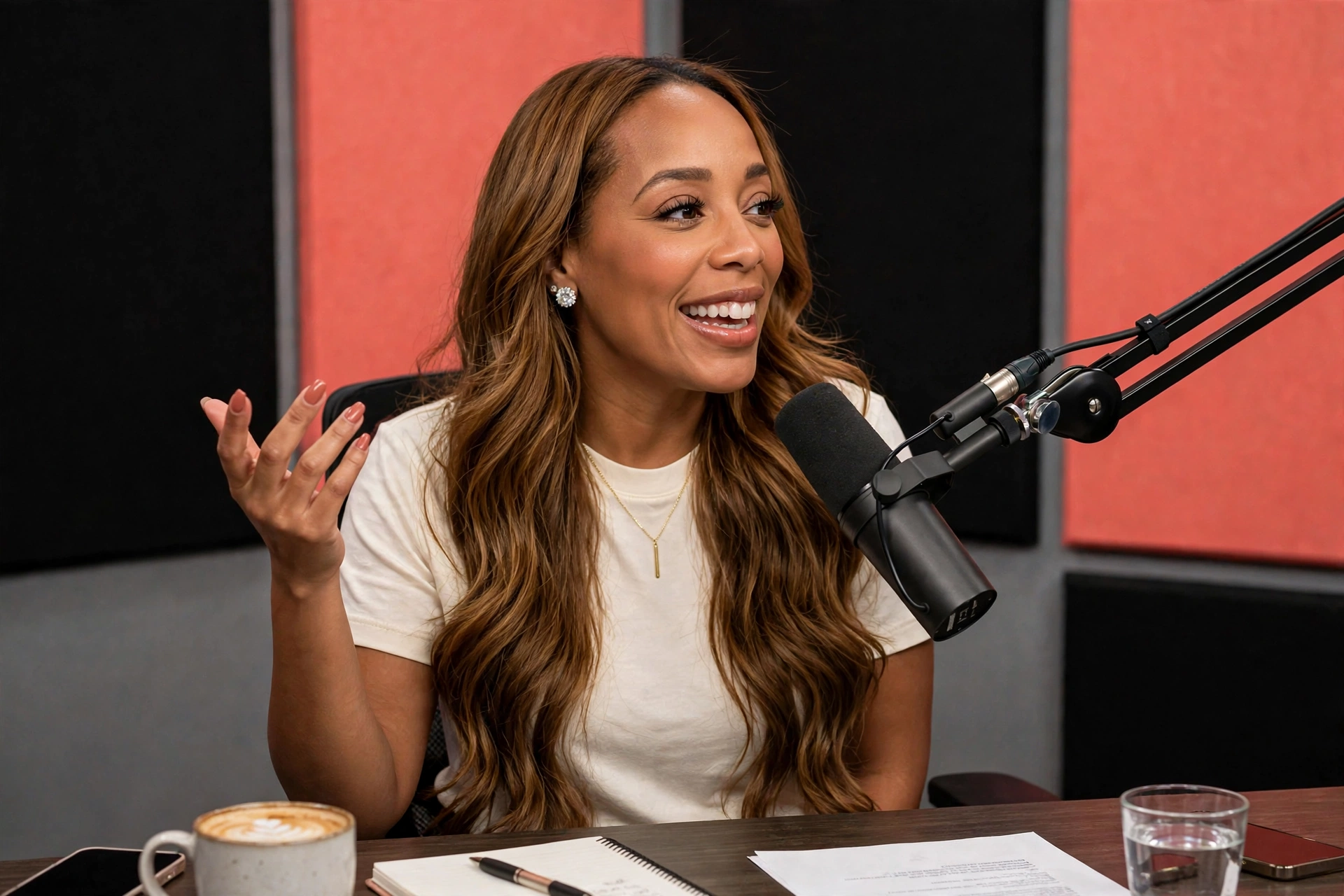
Your workplace dilemma, answered out loud. DM me RECORD and it might make the show.
The Framework
Know your edge. Name what you do better than most, with proof.
Name your lane. One clear position people can repeat about you.
Turn experience into proof other people can see and share.
A one hour weekly visibility system that fits a real job.
Build relationships before you need them, on purpose.

The Newsletter
The show is the public hotline. The newsletter is the unfiltered take.
Inside Every Edition
Work With Me
Speaking and workshop fees are shared by inquiry only. Tell me about your audience and your date.
AI for real life, personal brand while you are still employed, and visibility for experienced professionals. Warm, practical, and built for nontechnical rooms.
Inquire About SpeakingHands on AI sessions for teams and employee groups: prompts your people keep, privacy guardrails they understand, and the Gianna Check as a shared standard.
Inquire About a WorkshopCreator partnerships and UGC for tools and products I genuinely use. A public media kit with audience details is available on request for qualified partners.
Request the Media Kit
Speaking
I teach rooms of busy adults how to make AI work for their real lives. They leave with things they will actually use.

More Ways In
Every engagement starts the same way: tell me about your audience, your goals, and your date. Speaking and workshop fees are shared by inquiry only, never posted, so the first conversation is about fit, not a rate card.
Design’d by Gigi, my design and brand studio, lives on its own website with services by inquiry. The Gianna stays focused here: AI education, visibility, and the show.
Join
This is what Join means everywhere on this site: you join The Gianna list. One email a week, on Fridays: one workflow to steal, one check before you send, one move to make. That’s it.
Gianna’s Favorites
If it’s on this page, it earned its place. I use it, I love it, I would buy it again.

Shop It All
Beauty and Getting Ready
My at home facial, no appointment required. A few minutes and my skin looks like I actually slept, even on the weeks I did not.
Shop the pickA true nude made for brown skin. Not pink, not ashy, just polished. It lives in every bag I own, and there is a backup in the car.
Shop the pickMy signature. A great pair of diamond studs goes with the boardroom, the stage, and a Saturday coffee run. I never take mine off for long.
Shop the pickCoffee and Home
Cafe level coffee at home, in about a minute, before the first meeting of the day. It has paid for itself in skipped coffee runs many times over.
Shop the pickIce still frozen at the end of a long Atlanta day. It rides in the car, sits on the desk, and has survived every bag I have ever dropped it in.
Shop the pickTech and Tools I Actually Use
Blotato. One post, every platform, scheduled by a robot postman.
Shop the pickbeehiiv. A clean, simple platform for sending newsletters.
Try beehiivHostinger. Both of my websites live here.
Get HostingerVeed. How my videos get captioned and cleaned up fast.
Try VeedGalaxy.ai. A whole shelf of AI tools in one place.
Try Galaxy.aiIndy. Contracts and invoices for the business side of this life.
Try IndyStan Store. The storefront built for creators.
Try StanCanva. Where my graphics get designed, fast and on brand.
Shop the pickI talk for a living, and this catches every word. Meetings, voice notes, ideas in the car: recorded, transcribed, and searchable instead of lost.
Shop the pickMy everyday drafting partner for scripts, emails, and first passes. Fast, flexible, and always run through the Gianna Check before anything ships.
Shop the pickWhere my long documents and careful thinking live. Strategy, drafts that need nuance, and the second set of eyes on anything important.
Shop the pickThis list grows as I find things worth your money. When something new earns a permanent spot in my routine, it earns a spot here.
Free Guide · Read It Right Here
Doors Closed
Doors are closed right now. Join the waitlist and you will be the first to know when the next round opens.
The Everyday AI Starter Kit Seven everyday wins, seven prompts worth stealing, and the one check that keeps you in charge of all of it. For smart adults who did not grow up with this stuff and refuse to be left behind by it. Plain language, real tasks, no tech degree required.
by Gianna G.
AI is not a talent. It is a habit. Nobody is born knowing how to use this. The people getting results from AI are simply the people who started, with ordinary tasks, on ordinary days. This kit gives you seven of those tasks: the inbox, the meeting, the plan, the hard decision, the new topic, the stubborn draft, and the week itself. Each one comes with a prompt you can copy exactly as written, plus the check I run before I trust anything AI hands me. You need one thing: an AI tool. ChatGPT, Claude, Gemini, Copilot, Perplexity, any of them work for everything in this kit, and the free versions are plenty to start. If choosing one feels like homework, my AI Tool Scorecard compares all five on one honest page.
The one rule AI drafts. You decide. Treat every answer as a smart first draft from a fast assistant who does not know your life, your job, or your people. Your judgment is not the extra step. Your judgment is the whole point.
Before you send, post, or act on anything AI wrote, run the check: names and numbers verified, nothing private pasted in, and one honest read-through out loud. Two minutes of checking protects years of reputation. The full checklist is its own one-page guide, and a short version lives on the last pages of this kit.
How to ask, so it actually works Most disappointing AI answers come from rushed questions, not weak tools. Every prompt in this kit is built from the same four parts. Once you see the pattern, you can build your own.
Tell it who to be. "Act as my executive assistant" or "You are a patient teacher" changes the quality of everything that follows.
Give the situation in two or three sentences. Who is involved, what happened, what is at stake. Context is the difference between a generic answer and a useful one.
Say exactly what you want back: a draft, a list, a table, three options, a plan. Vague requests get vague answers.
Tone, length, format, and what to leave out. "Under 120 words. Warm and direct. No jargon." Rules are where your taste enters the answer.
When an answer misses, do not start over. Reply like you would to a person: "Shorter." "Warmer." "You lost my main point, it is the deadline, not the budget." The second answer is almost always the one you keep.
Never stare at a blank reply again The hardest part of any email is the first sentence. Let AI write the rough version while you are still deciding how you feel. You bring the judgment. It brings the draft.
"Here is an email I received, and below it is what I actually want to say, in my own messy words. Turn my version into a clear, professional reply that keeps my point and softens the edges. Under 120 words. Warm and direct. Do not add promises I did not make. Email: [paste]. My messy version: [paste]."
This is the move for the email you have been avoiding: the pushback, the apology, the ask. Say the true thing badly first. AI is very good at translating true and messy into true and sendable.
Read the draft for promises. AI loves to volunteer deadlines, discounts, and commitments you never approved. Delete every one that is not yours.
Use it on one real email today, even an easy one. The habit matters more than the difficulty.
End every meeting with owners Meeting notes usually record what was said. What you need is what was decided, who owns it, and by when. Most notes are missing exactly that, and nobody notices until the deadline passes quietly.
"Using only these notes, list actions in a table: action, owner, deadline, exact supporting quote, and unresolved question. Do not infer agreement or invent owners or dates. Write 'unassigned' or 'not specified' when missing. Then draft a short recap separating confirmed actions from questions to resolve. Notes: [paste]."
The table is useful. The real gift is the words "unassigned" and "not specified." Count them. That count is your team's actual meeting problem, and now you have receipts instead of a feeling.
An empty cell is a decision the team still owes you, not an error to hide. Send the recap in two sections, confirmed actions and open questions, and watch how fast the open questions get answered.
Run it on your most recent meeting notes and count the unassigned rows. Most people find two or more in the very first try.
Let AI sort the day before the day sorts you A crowded to-do list is not a plan. It is a pile. AI is genuinely good at piles: ranking, grouping, and spotting the one task everything else depends on.
"Act as my chief of staff. Here is everything on my plate today: [paste your list, messy is fine]. I have [number] hours of real focus time. Rank the list by impact and urgency. Give me my top three priorities, a simple time-blocked plan that protects them, and a 'not today' list I can release without guilt. Flag anything I should delegate or decline, and tell me how to phrase the decline."
Notice what this gives you besides a schedule: permission, in writing, to let the small things wait. Most of us do not need more hours. We need a ranked list and the nerve to honor it.
The plan only works if the hours are honest. If you gave it four focus hours you do not have, the ranking is fiction. Tell it the truth about your day, including the meeting that always runs long.
Run it tonight on tomorrow's list. Five minutes tonight buys you a calmer morning.
Make AI argue with you AI that only agrees with you is a mirror, not an advisor. The most valuable question you can ask is the one that pushes back.
"Here is a plan I am about to act on: [paste]. Argue against it like someone with nothing to lose, and do not be polite. Show me the weakest assumption, the cost I am not seeing, and the version of this that fails. Then tell me what would have to be true for the plan to deserve a yes."
Read the answer alone, without an audience. The parts of your plan still standing after that are the parts worth saying out loud. The rest was never the idea. It was the applause you were imagining.
Learn anything in plain language
"Teach me [topic] like a smart friend, not a textbook. Start with why it matters in my everyday life, use one example I would recognize, skip the jargon or define it when you must use it. Then ask me three questions to check I actually got it, and correct me kindly."
For facts that carry consequences, money, health, legal, ask the tool for its sources, then open one. A confident answer is not the same as a correct one.
Make it sound like you on a good day
"Below is a sample of my writing and a draft I need to improve. Study the sample first: my sentence length, my words, my tone. Then tighten the draft to half its length while keeping my voice and my main point. Do not make it fancier. Make it clearer. Sample: [paste]. Draft: [paste]."
The sample is the secret. Without it, AI edits everyone into the same polite robot. With it, edits start sounding like a person. Your person.
Hand the week a first draft
"Here is my week: [work hours, commitments, who I cook for, budget if it matters]. Build me a simple dinner plan for the weeknights, a grocery list organized by store section, and two small things I can do this week that my future self will thank me for. Keep every meal under 40 minutes."
Swap dinners for a trip itinerary, a gift list, or a Sunday reset. The pattern is the same: your real constraints in, a workable first draft out, your edits on top.
If the plan ignores your actual life, no meals, no rest, no time with your people, send it back. A plan you cannot live inside is not a plan.
The Gianna Check AI is fast, fluent, and occasionally wrong with total confidence. Your name goes on the work, so your eyes go on it last. These are the three checks I never skip. Names, numbers, and dates. Check every one against the source. These are the details AI invents most smoothly, precisely because they look so ordinary in a sentence. Look for what is missing. An answer can be accurate and still leave out the part that matters: the owner, the deadline, the exception, the risk. Ask yourself what a careful human would have included. Nothing private goes in. Client names, company business, other people's personal details: replace them with placeholders before you paste, and restore them after. The tool does not need your company's business to help you write a sentence.
The full Gianna Check Checklist is a free one-page companion to this kit: six checks, two minutes, designed to live next to your keyboard. If this kit is the engine, the checklist is the brakes, and you want both.
On the next AI draft you use, check only the names and numbers. It takes one minute, and it is the check that catches the most expensive mistakes.
One win a day. That is the whole plan.
Day 1: Draft one email reply with Win One.
Day 2: Run The Meeting Close on your latest notes.
Day 3: Let AI rank tomorrow before tomorrow arrives.
Day 4: Put one real decision through the Hotel Room Test.
Day 5: Learn one thing you have been nodding along about.
Day 6: Tighten one stubborn draft in your own voice.
Day 7: Give next week a first draft, then rest.
Seven days from now you will not be an AI expert. You will be something better: a person with proof. Proof that this works on your real inbox, your real meetings, your real week. Start small, keep your judgment switched on, and let the wins stack. That is how AI starts working for your real life. I share a new everyday AI move every week in Off the Record, my Friday newsletter, and in my daily Living Out Loud videos. Come learn in public with me.
Gianna G.
The Invisible Expert Starter Kit A practical guide to becoming visible outside your company while you are still employed.
Titles expire. Brands don't.
Start before you need visibility. You can be excellent at your job and still be nearly invisible beyond the people who work with you every day. That gap matters because a job title is rented. Your reputation, point of view, relationships, and body of work can travel with you. I learned this through three layoffs. The lesson was not to fear work. It was to stop letting one employer hold the entire record of my value. This kit helps you turn experience you already have into a visible professional brand, without pretending to be an influencer or announcing that you are leaving.
See where your visibility is weak. Create a clear signal in seven days. Build a one-hour weekly rhythm. Use AI without losing your voice. Find options hidden inside your experience.
Do not manufacture authority. Document it. How to use this Start with the scorecard. Circle your lowest category. Complete the seven-day jumpstart. Then protect one focused hour each week to keep your public proof growing.
How invisible are you, really? Score each statement: 0 = not yet, 1 = sometimes, 2 = consistently. Answer based on the last 90 days, not your intentions.
I can explain what I want to be known for in one sentence.
0 1 2
I keep a record of outcomes, wins, and lessons from my work.
0 1 2
My profile makes my expertise clear to someone outside my company.
0 1 2
I can share examples without exposing confidential information.
0 1 2
I know the people I want my work to help.
0 1 2
Other people can see evidence of how I think or solve problems.
0 1 2
I have a point of view, not just a list of skills.
0 1 2
My profile includes specific strengths, not generic claims.
0 1 2
My recent work supports the direction I want next.
0 1 2
I have at least one current asset I can send when asked what I do.
0 1 2
Clarity subtotal: ____ / 10
Proof subtotal: ____ / 10
I contribute useful ideas publicly at least once a week.
0 1 2
My professional identity is larger than my current title.
0 1 2
My comments add perspective instead of simple agreement.
0 1 2
I maintain relationships across companies and industries.
0 1 2
People outside my company recognize my name or expertise.
0 1 2
I can name at least three ways my expertise creates value.
0 1 2
I engage with people in my field before I need something.
0 1 2
I own access to my key contacts and professional materials.
0 1 2
My online presence is current enough to represent me today.
0 1 2
I am developing options before urgency forces a decision.
0 1 2
Presence subtotal: ____ / 10
Portability subtotal: ____ / 10
Your lowest category is your first move. Add your four subtotals. Then look past the total. Your lowest category shows where your experience is getting trapped.
0-13
14-27
28-40
Your value may be real, but the public signal is faint. Start with clarity and one visible proof asset.
The pieces exist, but they are inconsistent. A weekly rhythm will make your message easier to recognize.
Your signal is working. Strengthen portability so recognition creates options, not just attention.
Hidden
Emerging
Visible
____ / 40
____________
The total shows your stage. The lowest category sets your priority. Spend the next 30 days strengthening that one category before you score yourself again.
My strongest signal
My weakest link
Strengthen the weakest link. Use the exercise that matches your lowest score. Finish it before moving to the seven-day jumpstart.
If clarity is lowest
If proof is lowest
Finish this sentence without using your title:
List three problems you have solved, improved, simplified, prevented, or explained.
I help __________ solve __________ by __________.
If presence is lowest
If portability is lowest
Choose one place to show up for the next four weeks. LinkedIn is enough.
Name one asset and one relationship to strengthen outside your employer.
Platform: __________ Day: __________
Asset:
Topic I can discuss repeatedly: Relationship:
This week, I will ________________________________.
Seven days can start the signal. You do not need a dramatic announcement. You need a clearer profile, visible proof, and a repeatable way to contribute.
Choose the expertise, audience, and problem you want people to connect with your name.
Capture outcomes, lessons, decisions, and repeatable methods from work you have already done.
Make your headline and About section describe value that travels beyond your current title.
Record a voice note about something you know, believe, or wish more people understood.
Add an example, a respectful counterpoint, a question, or a practical next step.
Turn the raw idea into one clear lesson grounded in your real experience.
Name your lane
Align your profile
Leave five useful comments
Build a proof bank
Capture one raw idea
Publish one insight
Review the signal Notice what felt natural, what started a conversation, and what you want to repeat next week.
Your goal is not to look available. Your goal is to make your expertise findable.
Clarity first. Proof second.
Day 1: Name your lane
Write one answer for each question. Keep your employer out of it.
What do people consistently ask me to solve, explain, or improve?
Who benefits most from that expertise?
What do I believe about this work that I can defend?
Day 2: Build your proof bank
Use facts you can share. Remove names, private numbers, and internal details.
Make your value travel beyond the title. A useful profile tells a stranger what you know, who it helps, and why your perspective matters.
I help [specific people] [reach a meaningful outcome] through [your expertise or method].
My headline draft
Keep
Remove
Specific audience
Company-dependent identity
Clear outcome
Empty buzzwords
Credible expertise
Unsupported claims
Language you would say aloud
Every skill you have ever used
Profile check: Could a smart stranger understand your value without knowing your company or title?
Show how you think.
Talk for two minutes. Do not perform. Answer one:
Use one of these moves:
Record one raw idea What mistake do experienced people still make? What have you changed your mind about? What do you wish leaders understood? My idea:
Leave five useful comments Add a concrete example. Name a tradeoff. Offer a practical next step. Ask a thoughtful question. Respectfully add another view. People I will engage:
Keep it simple:
Complete these sentences:
Share one useful insight What happened. What it taught me. What you can use.
Choose what to repeat The topic that felt most natural:
The conversation worth continuing:
Before publishing, remove confidential details and any claim you cannot support. My next useful idea:
Build in public with your experience, not your employer's confidential information. Share principles, patterns, and lessons. Protect names, internal plans, private data, clients, and colleagues.
One focused hour keeps the brand moving. Protect the same hour each week. Leave with one published insight, stronger relationships, and the next idea already captured.
Scan your calendar, notes, questions, and recent work. Capture three lessons you can share safely.
Choose one lesson. Add context, your point of view, and one useful takeaway. Keep only what is true.
Publish
Post it, record it, or turn it into a simple document. Clarity beats production.
Respond to comments and contribute to three relevant conversations before you need anything.
Record what created a real conversation. Choose next week's topic before you close the session.
Collect Shape
Connect Review
My protected hour
My minimum week
Day: __________________
One useful post or video
Time: ________________
Three meaningful comments
Place: _______________
One new idea captured
Busy week? Do the minimum week. Consistency is easier to rebuild from a small action than from silence.
AI should amplify real experience. Use AI as an interviewer and editor. Do not let it become the source of your expertise.
Give it your notes, examples, beliefs, and preferred audience.
Tell it not to invent details, results, stories, or quotations.
Correct anything that sounds generic, false, inflated, or unlike you.
Ground it
Constrain it
Review it
Never paste confidential employer information, private data, names, internal documents, unpublished strategy, client details, or anything you do not have permission to share.
Find my expertise
Interview me to identify the expertise I should be known for. Ask one question at a time about problems I solve, patterns I notice, decisions I make, and what people seek my help with. After 8 questions, summarize three possible positioning lanes. Use only my answers. Do not invent achievements or details.
Find my point of view
Here are my rough notes about {topic}: {paste notes}. Identify the strongest belief or tension in them. Ask me three questions that will make my point of view more specific. Then give me a one-sentence thesis using my language. Do not turn it into a post yet.
Build a safe proof story
Help me turn this work experience into a useful lesson: {describe it without private details}. Organize it as situation, decision, result, and lesson. Flag any detail that may identify my employer, colleagues, clients, or internal information. Do not add numbers, outcomes, or dialogue I did not provide.
Turn raw expertise into usable assets.
Clarify my headline
My current headline is: {paste headline}. My audience is {audience}. I want to be known for {expertise}. Give me five clearer options that describe value beyond my current title. Keep each concise and credible. Do not add credentials or claims I did not provide.
Shape my About section
Use these facts and only these facts: {paste facts}. Draft a concise LinkedIn About section with this order: who I help, what I help them do, why I care, proof from my experience, and a simple next step. Keep my voice direct and warm. Mark any missing fact with a question instead of guessing.
Edit a raw thought into a post
Here is my raw voice note or rough thought: {paste transcript}. Preserve my actual point of view and wording. Shape it into a clear LinkedIn post with a strong opening, one central idea, and a useful close. Remove repetition. Do not invent a story, metric, quote, or lesson. Avoid generic motivational language.
Create a talking-head outline
Turn this raw idea into a 45 to 75 second talking-head outline: {paste idea}. Use three beats: the tension, what I believe, and one practical takeaway. Keep it speakable. Do not write stage directions or add facts. End with a natural question that invites relevant experience.
Write a meaningful comment
Here is a post I want to respond to: {paste post}. Here is my real reaction: {paste reaction}. Draft three concise comment options. Each should add an example, tradeoff, question, or next step. Do not flatter, summarize the post, or claim experience I did not provide.
Is it true? Is it mine? Is it safe to share? Would I say it out loud? If any answer is no, revise before publishing.
Options start with what you already own. Your title is one container for your value. Start with the expertise and evidence that can travel with you.
What you know Problems you solve repeatedly:
Decisions people trust you to make:
Skills that transfer across employers:
What demonstrates it Outcomes you can discuss safely:
Frameworks, processes, or checklists you use:
Credentials, work samples, or endorsements:
Relationships and assets create reach. Visibility becomes portable when people can find you and your best thinking exists somewhere you control.
Who knows your work People who would take your call:
Communities where you contribute:
Five people to reconnect with:
What you control Profiles, website, email list, or audience:
Ideas, intellectual property, or content:
Time, tools, or channels available now:
Circle the strongest item on this page and the previous page. Those four items are the raw material for your next professional option.
Turn the inventory into one visible move. Choose one direction to test with the experience and access you already have.
I want to explore
This helps Name the specific people who would value it.
Name the expensive, frustrating, or important problem.
Choose one result, lesson, process, or asset you can share safely.
They need help with
I can show
For the next 30 days, I will help __________ understand or solve __________ by sharing __________ once each week.
Week 1 Update one profile section.
Week 2 Publish one proof-based insight.
Week 3 Start five useful conversations.
Week 4 Review, refine, and repeat.
A title can introduce you. A body of work can outlast it.
Edits Unlocked Easy wins, insider moves, and the Photo Pop-In effect everybody asks about, for people who would rather film the video than fight the app. Instagram's free editing app, explained the way a friend would explain it: plain language, real steps, zero jargon.
by Gianna G.
What Edits is, and why I use it Edits is Instagram's own free video editing app. It is the editor I reach for every day, because it quietly does the jobs that used to take three different apps. Captions, photo overlays, clean audio, a teleprompter, and a clear read on what your audience actually watched all live in one place. There is no watermark on your finished video, and you can export in quality high enough to post the same file on Instagram, TikTok, Facebook, and YouTube Shorts. If you have ever opened a fancy editing app, stared at the screen, and closed it again, this guide is your way back in. Every section is short. Every section ends with the one move to try first. Nothing here requires a film degree, a ring light collection, or a teenager on staff.
How to use this guide Read it once, start to finish. Then keep it beside you while you edit and jump straight to the page you need. The star of the show is the Photo Pop-In, the effect that drops a photo into the middle of your talking head video. It gets its own full walkthrough, and it is easier than it looks.
Before you post anything, ask one question: would a tired person scrolling at 10pm understand this video with the sound off? If the answer is no, fix the captions first. That one check will quietly improve every video you make.
The only five things you need to find
Every video you start lives here, and Edits saves your work as you go. Close the app mid edit and nothing is lost.
Your main video sits on the main track. Photos, text, stickers, and extra clips stack on tracks above it. Music and voice ride on their own tracks below.
The row of buttons under the timeline: Audio, Text, Voice, Captions, Overlay, Sound FX, Cutout, and Sticker. This row is where every good thing in this guide begins.
What you see is what posts. Drag anything right on the preview to move it, and pinch to make it bigger or smaller.
Top right corner when you are done. Edits saves the video to your phone and offers to post it straight to Instagram or Facebook.
The toolbar trick that ends most confusion: if the toolbar suddenly shows different buttons than you expected, you have a clip selected on the timeline. Tap an empty spot on the timeline so nothing is selected, and the full toolbar comes right back.
The Photo Pop-In You are talking to the camera. You mention a product, a place, a person, a screenshot, and right on cue, the photo appears in the middle of your video. That is the Photo Pop-In, and it is simply an overlay with good timing.
Open your talking head video in Edits and play it. Pause on the exact word where the photo should appear, and leave the playhead sitting right there.
Tap an empty spot on the timeline so no clip is selected, then tap Overlay in the toolbar.
Choose the photo from your camera roll. It lands on a brand new track above your video, starting exactly at the playhead. Your video keeps playing underneath it.
Drag the left and right edges of the photo clip to stretch or shrink it. Two to four seconds is the sweet spot for a quick mention. Give it longer if people need time to read what is in the photo.
On the preview, drag the photo where you want it and pinch to resize. Dead center works for a big reveal. Lower on the screen works when your face should stay the star.
That is the whole effect. Press play and watch your photo pop in while you keep talking. The next page is how to make it look like you hired someone.
Make it look expensive Give it an entrance. Select the photo clip and add an In animation. Pop and Fade are the two that never miss. Add an Out animation too, so the photo leaves as politely as it arrived. Add the glide. Tap the diamond keyframe button at the start of the photo clip. Move the playhead to the end of the clip, then make the photo slightly bigger or shift it a touch. Edits animates between the two points, and a slow push-in makes a plain photo feel deliberate. Try the cutout version. If your photo shows a person or a product, add it with Cutout instead of Overlay. Edits lifts the subject right off the background, so it floats over your video like a sticker from real life. Stack a caption on it. A few words of text on the photo ("the one I actually use") tells viewers why it appeared and gives them a reason to keep watching. Mind the safe zones. Keep the photo out of the bottom of the screen, where your captions and the video description live, and away from the right edge, where the like and comment buttons sit. Center and upper third are your safe real estate.
Watch the moment once with the sound off. If a viewer cannot tell why that photo appeared, add one short line of text to the photo, or say the reason out loud right before it pops in. A photo with a reason is a story. A photo without one is an interruption.
One photo, four seconds, Pop animation. That is the whole effect. Everything else on this page is seasoning.
Most people watch you on mute A huge share of your viewers will meet you with the sound off: in bed, at work, on a train. Captions are how those viewers hear you. Let Edits write the first draft. With no clip selected, tap Captions and Edits transcribes your audio automatically. What took twenty minutes of typing now takes seconds. Always fix the words. Auto captions get names, brands, and numbers wrong, and they will get yours wrong too. Tap the caption text and correct it by hand. A wrong word on screen costs trust your voice worked hard to earn. Style it once, then keep it. Pick a clean caption style, your colors, and a size people can read at arm's length. Then use it on every video. Consistent captions quietly become part of your look. Keep chunks short. A few words at a time is easy to follow. Full sentences stacked on the screen make people give up and scroll. The bilingual bonus. Edits can add captions in a second language, with 15 languages and counting. One extra caption track quietly opens your video to a whole new audience.
Caption your next video and fix every name and number by hand. Two minutes of care, and your video suddenly looks produced.
Look prepared, sound clear Use the built-in teleprompter. When you record inside Edits, your script can scroll on screen at a pace you set. Paste your words, slow the scroll down, and read like you are talking to a friend instead of memorizing lines. You finish takes faster and you sound like yourself. Voiceover when you need it. Tap Voice to record narration over any clip. This is the move when a photo or a screen recording is on screen and your voice needs to explain what people are seeing. Your saved audio is already here. Songs and sounds you saved on Instagram are waiting in the Edits audio library. You can also import your own audio, or pull the sound from another video you own. Let the app balance the volume. Edits can match audio loudness automatically, so the music supports your voice instead of wrestling it. Then do one headphone check before you export. If you have to strain to hear yourself, your viewer already left. Tidy the picture too. Select any clip and look for Touch Up and Auto Enhance. A light touch makes phone footage look cared for. Heavy filters make it look like a filter.
Film one take with the teleprompter on your next video. Notice how much faster you finish, and how much less you have to cut.
The slow zoom, and other quiet magic The slow zoom. The most borrowed trick in professional talking head video. Select your clip, tap the keyframe diamond at the start, move the playhead to the end of the clip, and pinch the preview just slightly larger. Play it back: a gentle push-in that holds attention without a single cut. Animations, in moderation. Text, stickers, photos, and overlays can all fade, pop, and slide in or out. Pick one animation style per video and repeat it. Consistency reads as class. A different animation every five seconds reads as chaos. Green screen, no screen required. Cutout lifts you, or any subject, out of a photo or video, so you can stand in front of a screenshot, a chart, or another clip while you talk about it. If you happen to own an actual green screen, Edits handles that too. Restyle, the party trick. Describe a new look in words and Edits restyles your clip with AI. Availability varies by country and daily limits apply, so test it on a short clip first. Use it for a hook or a moment, not a whole video.
Add one slow zoom to your next talking head clip. It takes twenty seconds and your video will feel twice as polished.
Your numbers, translated Edits is hiding a second app inside the first one: a straight-talking report on what your videos are actually doing. Start in Insights. The Insights tab shows your Reels views, reach, and new followers, plus the details that matter per video, like skip rate and average watch time. Read the retention graph like a story. The exact second the line dips is the exact second your video got slow, confusing, or repetitive. Your next great hook is hiding inside that dip. Compare before you guess. Edits can line up to three of your reels side by side on views, watch time, follows, and interactions. Patterns you would never spot in a list jump right out. Meet your audience. The Audience view shows where your followers live, what they care about, and when they are active. Post when your people are awake. You can even export the whole report as a PDF, which comes in handy the day a brand asks about your audience. Ask the assistant. Edits now has an AI assistant that has read your account. Open the chat and ask the question I ask every week: "What is working on my account right now?" Then follow with: "Which of my recent reels held attention the longest, and why?" and "Give me three hooks based on my best videos." It answers from your real numbers instead of generic advice. It is free with a daily question limit, and it is rolling out in the US first.
Ask the assistant that one question today: "What is working on my account right now?" Then make your next video from the answer.
Buried treasure Project Versions. Save an alternate cut of the same video inside the same project. Try the bold hook and the safe hook without starting over, then keep the one that feels right. Templates that keep your layers. Templates in Edits can now carry overlays with them, and clips can be locked in place. That means your titles, photos, and layout survive when a template gets reused, instead of sliding around. Study how a template was built. You can open a template's project and look under the hood at every layer and setting. Learn the structure, then rebuild it with your footage and your voice. Inspiration, never imitation. The Ideas tab. Your saved reels, saved audio, and sticky notes all live in one place. This is where future video ideas stop getting lost in a sea of screenshots. Edits makes carousels now. The same app can build a custom photo or video carousel and post it straight to Instagram. One app, two formats, same audience. Export once, post everywhere. Your export carries no watermark and goes up to 4K quality, so one finished file works on Instagram, TikTok, Facebook, and YouTube Shorts.
Duplicate the project of your best performing video and keep it as your personal starting template. Future you says thank you.
Start to posted, in ten steps
Film your talking head, teleprompter on if you want it.
Trim the dead air at the start and the end.
Add captions, and fix every name and number by hand.
Drop in one Photo Pop-In.
Add one slow zoom with a keyframe.
Add music under your voice and balance it with a headphone check.
Watch it once with the sound off. Fix anything confusing.
Watch it once with your eyes closed. Fix anything you cannot follow by ear.
Export in the highest quality offered.
Post it. Then ask the Edits assistant what worked.
You do not need more apps. You need one app you actually know. Learn Edits one move at a time, one move per video, and within a month your videos will look like you hired help. You did. It is this guide, plus your own good taste. Now go film the thing. I share a new AI move for work and real life every week. Come find me, and bring your questions.
Gianna G.
Five AI tools. One honest page. Here is the secret the ads skip: every major AI tool costs about twenty dollars a month. Price cannot make this decision for you. Fit does. Hire each tool for the job it is actually best at.
ChatGPT
HIRE IT FOR The everyday all-rounder. Drafts, brainstorms, voice conversations, quick
images, questions about a file you upload. If you only try one, start here. WATCH OUT Feature sprawl is real. You will use a tenth of it, and that is fine.
Claude
HIRE IT FOR Writing that sounds like a person wrote it, and long documents. Hand it a
report, a contract, or a manuscript and it will read the whole thing, carefully. WATCH OUT The free plan taps out quickly when your projects get big.
Gemini
HIRE IT FOR Life inside Google. It works within Gmail, Docs, and Drive, handles photos and
video well, and the paid plan bundles generous storage. WATCH OUT It is only a bargain if Google apps are already your home base.
Microsoft Copilot
HIRE IT FOR Work inside Word, Outlook, Teams, and Excel. It brings AI into the apps your
job already runs on, no new tab required. WATCH OUT Ask your employer what is already paid for before you spend a cent. Quality
varies from app to app.
Perplexity
HIRE IT FOR Answers with receipts. Research, comparisons, and current events, with
sources you can actually open and check. WATCH OUT It is a research specialist, not a writing partner. Hire it for questions, not
drafts. Prices checked October 2026 against published plan pages. Plans change. Confirm the current price before you buy, and start free whenever free is offered.
Answer three questions. There is your tool.
Gmail and Docs point to Gemini. Word, Outlook, and Teams point to Copilot. Neither? Move to question two, you are free to choose on talent.
Write and revise long things: Claude. Ask questions about the world and check the answers: Perplexity. A little of everything, most days: ChatGPT.
Many employers provide Copilot or Gemini through work accounts. The best AI tool is frequently the one you are already not paying for. Check before you subscribe to anything.
Pay for exactly one tool, and only after a free plan has failed you at a real task, twice. Two weeks of free use on your actual work will tell you more than any review, including this one.
One last check Whichever tool you pick, the deal is the same: it drafts, you decide. Run The Gianna Check before anything goes out under your name: names and numbers verified, sources opened, nothing private pasted in, one read out loud. The right tool in careless hands still produces careless work. The right tool in your hands, with your judgment on top, is the whole advantage. This scorecard is refreshed quarterly. I share what changed, and what I am actually using, in Off the Record, my Friday newsletter, and in Worth Your Time?, my comparison series.
Gianna G.T HE GIANNA
Interactive Edition
Download the Interactive Scorecard (fillable PDF)Fill it in, save your copy. Your answers stay in your file.
Before you send it, check it. AI is fast, fluent, and occasionally wrong with total confidence. Your name goes on the work, so your eyes go on it last. Six checks. Two minutes. Every time.
Every fact, quote, and claim: can I point to where it came from? If the answer has no source I can open, it does not go out under my name.
Names spelled right. Dates, deadlines, and totals verified against the original. These are the details AI invents most smoothly, because they look so ordinary in a sentence.
What is missing? The owner nobody assigned, the date nobody set, the question nobody answered. A gap in the answer is a decision I still owe, not a detail to smooth over.
Read it out loud. If it does not sound like me on a good day, it gets edited until it does. My voice is my brand, and I do not outsource it.
Did I paste anything that was not mine to share? Client names, company business, another person's details: placeholders go in before anything is pasted, real details go back in after.
Would I sign my name to this in front of the person receiving it? If the answer takes longer than a breath, it goes back for one more round.
Two minutes of checking protects years of reputation. Print this page. Keep it next to your keyboard. Titles expire. Brands don't.
Interactive Edition
Download the Interactive Checklist (fillable PDF)Fill it in, save your copy. Your answers stay in your file.
The Meeting Close Kit Your meeting notes are not the problem. Nothing moves after a meeting because nobody owns anything. A deadline nobody wrote down is a rumor. An action with no name next to it is a wish. This kit gives your notes the one thing they are missing: an owner, a deadline, and proof.
"Using only these notes, list actions in a table: action, owner, deadline, exact supporting quote, and unresolved question. Do not infer agreement or invent owners or dates. Write 'unassigned' or 'not specified' when missing. Then draft a short recap separating confirmed actions from questions to resolve. Notes: [paste here]."
Drop the prompt and your meeting notes into the AI tool you already use. Approved notes, your own drafts, or a fictional example work fine.
The table is useful. The real gift is the words "unassigned" and "not specified." Count them on the tally sheet on page 2. That count is your team's actual meeting problem, and now you have receipts.
Confirmed actions in one section, questions to resolve in the other. Watch how fast the open questions get answered once they are sitting next to proof.
Check the owners. Read every owner and deadline and ask: is it in the notes, or did the AI invent it to make the table look complete? If the notes never said a date, the AI does not get to choose one. An empty cell is a decision your team still owes you. Check the privacy. Keep private things private. Do not paste confidential notes into a public AI tool. The tool does not need your company's business.
The Unassigned Owner Tally Sheet Run The Meeting Close after every meeting for two weeks and tally what comes back unassigned. Then bring that number to your next team meeting. That is a conversation worth having.
1. ___________________________________________________________________ 2. ___________________________________________________________________ 3. ___________________________________________________________________
A deadline nobody wrote down is a rumor. From Off the Record, Edition 1. New edition every Friday.
Get On the Record 30 days to make your work impossible to ignore. For experienced professionals who are excellent at the job and invisible everywhere else. Ten honest minutes a day, one focused hour a week, and a record of proof that travels with you.
By Gianna G.
Titles expire. Brands don’t.
How this works You can be excellent at your job and still be nearly invisible beyond the people who work with you every day. That gap matters, because a job title is rented. Your reputation, your point of view, your relationships, and your body of work can travel with you. For the next 30 days, you are going to build the record on purpose.
The rhythm Daily, about 10 minutes: one micro-action from the 30-day map. Small enough to do on a tired day, specific enough to compound. Weekly, one focused hour: the one-hour session on page 11. Collect, shape, publish, connect, review. Protect the same hour all month.
Day 0 and Day 30: you take the Visibility Scorecard on page 4. Your lowest category on Day 0
sets your assignment. Your Day 30 score shows you the receipts.
The rules
• Do not manufacture authority. Document it. Everything in this workbook comes from work you
have already done.
• Build with your experience, not your employer’s information. No confidential details, no private
names or numbers, ever. Share principles, patterns, and lessons.
• Done beats perfect. A rough post on the day it was assigned moves your record further than a
polished one next month.
• Missing a day is data, not failure. Note it in the tracker and take the next action. The month is
the unit, not the day.
What you need: this workbook, one notes app or document for your receipts file, and your protected weekly hour on the calendar before November 1. That is the whole setup.
30 days, four moves Each week strengthens one part of your record, in the order your scorecard checks them: clarity, proof, presence, portability. The daily actions live on pages 7 and 10. This map is the month at a glance.
Days 1 to 7
Foundation Clarity first
Your lane in one sentence, your proof bank started, your profile aligned, your first published insight. The 7-day jumpstart, page 7.
Days 8 to 14
Proof The Receipts
A working receipts habit, one proof story in your own words, and one asset you can send when someone asks what you do.
Days 15 to 21
Presence The Cadence
A visible weekly rhythm: publishing, commenting with perspective, and showing up in your field before you need anything.
Days 22 to 28
Portability The Room
Proof your identity is bigger than your title: value named three ways, one relationship renewed, your materials in your own hands.
Days 29 to 30
Finish line
Re-score, compare, and publish your finish line. Then choose your next 30 days with evidence instead of guilt.
Your lowest scorecard category is your emphasis all month. Do every day’s action, but give your weakest category the extra ten minutes whenever a day runs short. That is where your experience is getting trapped.
The Visibility Scorecard Score each statement: 0 = not yet, 1 = sometimes, 2 = consistently. Answer based on the last 90 days, not your intentions. Be honest; nobody sees this but you, and a low score is a map, not a verdict.
A / Clarity I can explain what I want to be known for in one sentence.
0 1 2
My profile makes my expertise clear to someone outside my company.
0 1 2
I know the people I want my work to help.
0 1 2
I have a point of view, not just a list of skills.
0 1 2
My recent work supports the direction I want next.
0 1 2
Clarity subtotal: ______ / 10
B / Proof I keep a record of outcomes, wins, and lessons from my work.
0 1 2
I can share examples without exposing confidential information.
0 1 2
Other people can see evidence of how I think or solve problems.
0 1 2
My profile includes specific strengths, not generic claims.
0 1 2
I have at least one current asset I can send when asked what I do.
0 1 2
Proof subtotal: ______ / 10
C / Presence
I contribute useful ideas publicly at least once a week.
0 1 2
My comments add perspective instead of simple agreement.
0 1 2
People outside my company recognize my name or expertise.
0 1 2
I engage with people in my field before I need something.
0 1 2
My online presence is current enough to represent me today.
0 1 2
Presence subtotal: ______ / 10
D / Portability My professional identity is larger than my current title.
0 1 2
I maintain relationships across companies and industries.
0 1 2
I can name at least three ways my expertise creates value.
0 1 2
I own access to my key contacts and professional materials.
0 1 2
I am developing options before urgency forces a decision.
0 1 2
Portability subtotal: ______ / 10 My total: ______ / 40 · My lowest category: ____________ 0 to 13, Hidden: your value may be real, but the public signal is faint. Start with clarity and one visible proof asset. 14 to 27, Emerging: the pieces exist, but they are inconsistent. A weekly rhythm will make your message easier to recognize. 28 to 40, Visible: your signal is working. Strengthen portability so recognition creates options, not just attention. Prefer to take it on your phone? The interactive scorecard lives at the link in the event post, and it scores itself. Either way, write your numbers here. You will want them on Day 30.
Your first move The total shows your stage. The lowest category sets your priority. Do the exercise that matches your lowest score today, before Day 1. It takes ten minutes and it aims the whole month.
If clarity is lowest · The Angle Finish this sentence without using your title: I help __________ solve __________ by __________. Say it out loud. If it takes more than one breath, keep cutting words until it does not.
If proof is lowest · The Receipts List three problems you have solved, improved, simplified, prevented, or explained. Write what changed because you were there. This list opens your receipts file on page 8.
If presence is lowest · The Cadence Choose one place to show up for the next four weeks. LinkedIn is enough. Write it here, with the day you will post: Platform ____________ · Day ____________ · Topic I can discuss repeatedly: ______________________
If portability is lowest · The Room Name one asset and one relationship to strengthen outside your employer this month. Asset: ______________________ · Relationship: ______________________ My first move, this week: I will ____________________________________________.
The jumpstart Seven days can start the signal. Check each day off in the margin as you go.
☐ Day 1 · Name your lane. Answer three questions in writing: What do people consistently ask me to solve, explain, or improve? Who benefits most from that expertise? What do I believe about this work that I can defend? Keep your employer out of it. ☐ Day 2 · Build your proof bank. Open your receipts file (page 8) and log your first three entries: the problem, what you did, what changed, what you learned. Facts you can share only. ☐ Day 3 · Align your profile. Rewrite your headline with the formula: I help [specific people] [reach a meaningful outcome] through [your expertise or method]. Test: could a smart stranger understand your value without knowing your company or title? ☐ Day 4 · Capture one raw idea. Record a two-minute voice note. Do not perform. Answer one: What mistake do experienced people still make? What have you changed your mind about? What do you wish leaders understood? ☐ Day 5 · Leave five useful comments. Each comment uses one move: add a concrete example, name a tradeoff, offer a practical next step, ask a thoughtful question, or respectfully add another view. ☐ Day 6 · Publish one insight. Turn the Day 4 idea into one post: what happened, what it taught me, what you can use. Remove confidential details and any claim you cannot support. ☐ Day 7 · Review and protect the hour. Complete: The topic that felt most natural was ____________. The conversation worth continuing is ____________. Then put your weekly hour on the calendar for weeks 2, 3, and 4.
The Receipts Tracker Your receipts file is the engine of this month and the habit that outlives it. Five fields, five minutes, every day you work. Use facts you can share; remove names, private numbers, and internal details as you write, not later.
Date
When it happened, so you have a timeline of impact.
Problem or project
What the work actually was, in plain words a stranger would understand.
What I did
Your contribution. Not the team. Not the department. You.
What changed
How it supported revenue, efficiency, quality, or the people it served.
What I learned
The lesson, the feedback, or the pattern you would teach someone else.
Do this daily and watch how easy your next review, raise conversation, interview, or pivot becomes. Your future self will thank you, with documentation. The next two pages are your tracker for the month. If you keep your receipts digitally instead, copy the five column headings into your notes app and log there. The format matters less than the streak.
My receipts, first half
My receipts, second half
Proof, presence, portability Week 2 · Proof (Days 8 to 14) ☐ D8 Add three receipts from last week. ☐ D9 Turn one receipt into a proof story: situation, decision, result, lesson. ☐ D10 Clean one asset of anything private so it is safe to share. ☐ D11 Draft your sendable one-pager: who you help, proof, contact. ☐ D12 Replace one generic claim on your profile with a specific strength. ☐ D13 Ask one trusted person: what do you come to me for? Log the answer as a receipt. ☐ D14 Weekly hour + Gianna Check review (pages 12 and 13).
Week 3 · Presence (Days 15 to 21) ☐ D15 Publish one insight from your receipts. ☐ D16 Five comments that add perspective. ☐ D17 Reply to every comment on your last post like it matters, because it does. ☐ D18 Share someone else’s work and add your take. ☐ D19 Record one 60-second video teaching one thing you know. ☐ D20 Engage three people in your field before you need anything. ☐ D21 Weekly hour + review.
Week 4 · Portability (Days 22 to 28) ☐ D22 Write three ways your expertise creates value, none of them your title. ☐ D23 Reconnect with one person from a past company, no ask attached. ☐ D24 Update your sendable asset with this month’s proof. ☐ D25 Move your key contacts and materials into files you personally own.
☐ D26 Publish the biggest lesson this month taught you. ☐ D27 Leave five useful comments in one new room: a group or community you have not posted in. ☐ D28 Weekly hour + review.
☐ D29 · Prep your finish line. Draft the post: what changed, one receipt you are proud of, one number you can share. ☐ D30 · Finish. Re-score on page 5, compare, and publish your finish line.
One hour keeps the record growing Protect the same hour each week. Leave with one published insight, stronger relationships, and the next idea already captured.
10 min
Collect
Scan your calendar, notes, questions, and recent work. Capture three lessons you can share safely.
20 min
Shape
Choose one lesson. Add context, your point of view, and one useful takeaway. Keep only what is true.
10 min
Publish
Post it, record it, or turn it into a simple document. Clarity beats production.
15 min
Connect
Respond to comments and contribute to three relevant conversations before you need anything.
5 min
Review
Record what created a real conversation. Choose next week’s topic before you close the session.
My protected hour Day: __________________ · Time: ________________ · Place: __________________ Busy week? Do the minimum week: one useful post or video, three meaningful comments, one new idea captured. Consistency is easier to rebuild from a small action than from silence.
Run the Gianna Check Five minutes at the end of each week, before you publish anything else. Six checks, applied to your post, your profile, and anything AI helped you draft. If a check fails, fix that one thing, not everything.
☐ Receipts. Can I back every claim with something real from my own record? ☐ Names and numbers. Is every name, date, and figure accurate, and safe to share? ☐ The empty cell. What is missing that a smart reader would ask about? ☐ Sound. Read it aloud. Does it sound like a person, specifically like me? ☐ Privacy. Could anything here identify my employer, colleagues, or clients, or expose information that is not mine to share? ☐ The signature test. If my name fell off this, would my people still know it was mine?
This week’s review What I published: ______________________________________________ The conversation worth continuing: ______________________________ One thing the Check caught: ____________________________________ Next week’s one topic: _______________________________________ AI can help you draft, sort, and polish. The Check is where you stay the author. Use AI as an interviewer and editor, never as the source of your expertise, and never paste confidential information into it.
The finish line Re-take the scorecard on pages 4 and 5 and write the new numbers beside the old ones.
Day 0 total: ______ / 40 · Day 30 total: ______ / 40
My strongest signal now: _______________________________________ The receipt I am proudest of: ___________________________________ What I will keep doing weekly: _________________________________
What happens next The record does not maintain itself, but it does get easier. Keep the receipts habit and the weekly hour, and your visibility stops depending on motivation. When you are ready to go further, the path is already built:
• The Visible Expert Prompt Pack ($7): 17 prompts that turn your workbook answers into a visible
profile, a content engine, and a 90-day plan.
• Prepare the Record: the live working session where we build your next 90 days together.
• The Room: the community of professionals doing this work alongside you, because relationships
are built before you need them.
And if you started late, finished messy, or missed days: you still have a record you did not have 30 days ago. That was the whole point. Run it back next quarter, stronger.
Titles expire. Brands don’t. You just spent 30 days proving it. Now stay on the record. Get On the Record is a The Gianna program. Workbook by Gianna G. Share this workbook with one person who needs it; the next round starts soon, and the door stays open.
Interactive Edition
Download the Interactive Workbook (fillable PDF)Fill it in, save your copy. Your answers stay in your file.